Controllers and Accounts Payable (AP) leaders at mid-market manufacturing, distribution, and food and beverage enterprises face a difficult operational catch-22 in late 2026. Microsoft Dynamics GP and Microsoft Dynamics NAV remain reliable systems of record for general ledger and inventory accounting. However, official lifecycle milestones are forcing IT departments to freeze custom development and reject complex integration projects on these legacy environments. Meanwhile, AP teams remain buried under exception-heavy workflows, trying to manage high-volume Dynamics GP and NAV payables through manual data entry and shared Outlook inboxes.
In physical supply chains, supplier invoices rarely match purchase orders and receiving logs perfectly on the first pass. Variances from partial shipments, split deliveries, unit-of-measure discrepancies, and unquoted freight surcharges break traditional OCR templates. These rigid tools cap out at 20% to 30% automation coverage because they fail as soon as a real-world discrepancy occurs.
Automating 3-way PO matching and invoice exceptions in Dynamics GP and Dynamics NAV without a six-month custom build requires moving beyond template-based capture. Rather than forcing brittle API integrations or bolt-on portals onto sunsetting systems, finance teams can deploy autonomous AI agents that read packing slips, apply plain-English accounting rules, diagnose line-item variances, and post matched vouchers directly inside the existing ERP - cutting manual AP work by 80% and pushing straight-through processing past 95%.
The IT Deadlock on Legacy ERP Integrations
Finance leaders frequently ask their IT counterparts for better Microsoft Dynamics GP accounts payable automation, only to have the project deprioritized. The root cause is the official Microsoft support lifecycle combined with rigid architectural constraints.
According to Microsoft's official support announcements, Dynamics GP product enhancements and technical support will end on December 31, 2029. For Dynamics NAV, the timeline is even tighter: NAV 2016 is already completely out of support as of April 2026, NAV 2017 loses extended support in January 2027, and NAV 2018 follows in January 2028.
Because these systems are sunsetting, CIOs refuse to allocate six months of internal engineering time or expensive consulting hours to build custom API wrappers, staging table scripts, or brittle file-drop integrations. Modifying legacy ERP code for a bolt-on portal introduces severe regression risks to inventory valuation and GL posting. IT will not build a custom integration that will be thrown away during an eventual migration to a cloud ERP.
The fallout falls squarely on the AP team. While leadership debates whether to migrate in 2027 or 2028, AP clerks are left manually triaging shared inboxes, printing PDFs, checking packing slips by hand, and reconciling Goods Received / Invoice Received (GR/IR) clearing accounts in spreadsheets.
Where Dynamics GP and NAV Break on 3-Way Matching
In mid-market manufacturing and wholesale distribution, 3-way matching is not a simple header total check. It is a strict line-by-line reconciliation across the Purchase Order (PO), the Goods Receipt, and the Supplier Invoice. When teams attempt Dynamics GP AP automation or Dynamics NAV automation using traditional OCR templates or rigid bolt-on portals, the software fails on everyday supply chain friction.
Goods Receipt Posting and Invoice Entry
Inside Dynamics GP, goods are received via Receivings Transaction Entry, which debits inventory and credits the purchase accrual account. Invoices are then processed via Enter/Match Invoices, where a user must manually link invoice lines to posted shipments. In Dynamics NAV, receipts are posted directly on the released Purchase Order, and invoices are created via the Get Receipt Lines action. If an invoice covers multiple shipments, clerks using manual processes spend 10 to 15 minutes hunting through posted receipts line by line to build a single voucher.
Partial Shipments and Split Deliveries
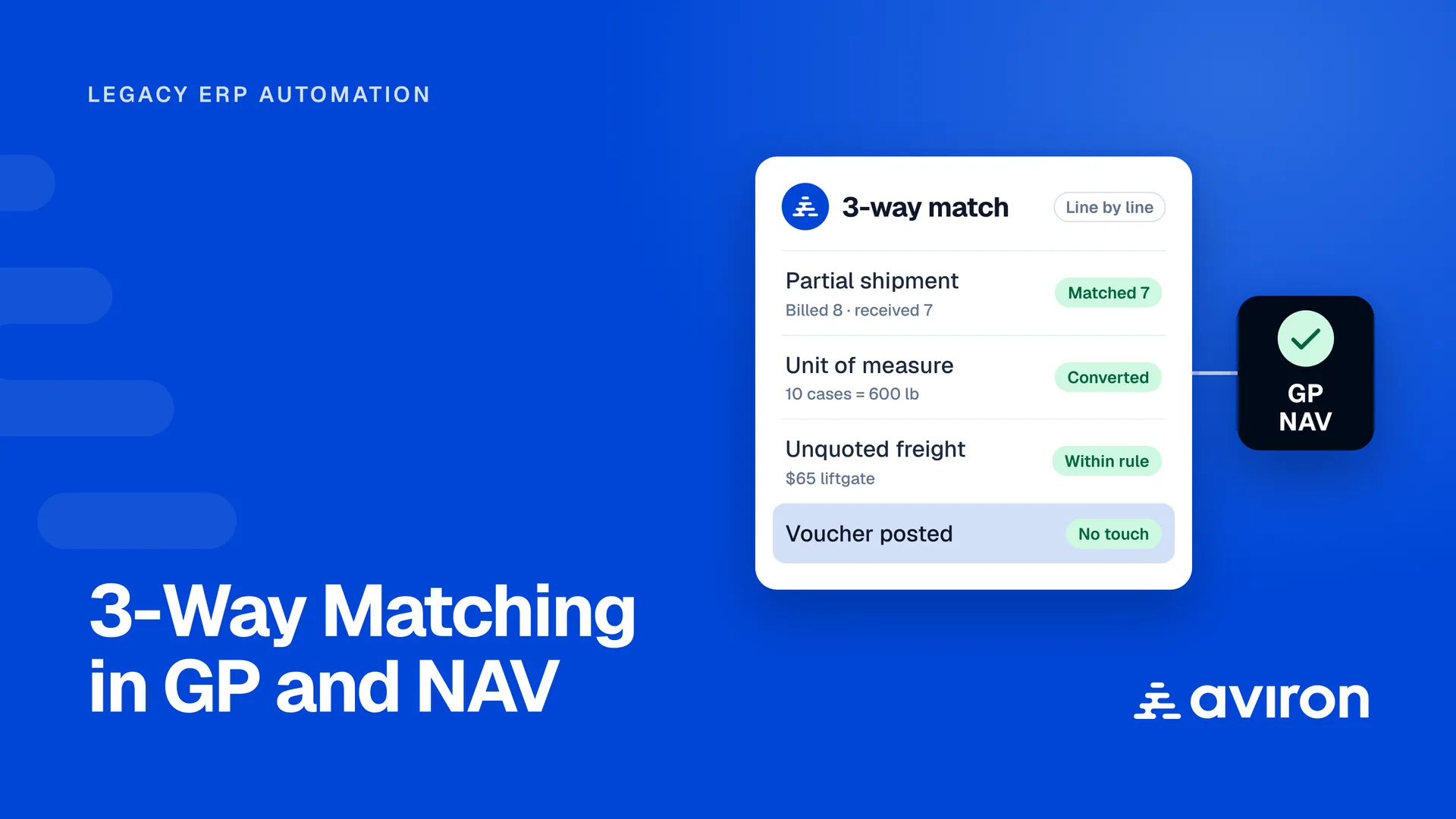
In Dynamics GP, users can only invoice a quantity equal to or less than what has already been posted on a shipment receipt. If 10 units are ordered, 7 are received, and the vendor bills for 8, GP throws a hard edit-list error stating that line items are not fully matched. In NAV, reopening a partially received PO to add lines automatically populates remaining backorder quantities, risking accidental false receipts if not zeroed out manually. Traditional OCR tools read the invoice quantity blindly and push it into the ERP, triggering batch-post failures and corrupting the Received Not Invoiced report.
Unit of Measure (UOM) Discrepancies
A manufacturer's item master might track inventory in pounds, while the supplier invoices in cases or pack notations like 6/10# (6 cans of 10 lbs equals 60 lbs per case). NAV requires explicit conversion factors in the Item Unit of Measure table. If a supplier bills 10 cases at $120 per case against a PO for 600 lbs at $2.00 per pound, the net total is identical, but the line quantity and unit cost differ wildly. Rigid matching engines flag this as a massive unit price variance and dump the mathematically clean invoice into a manual exception queue.
Unquoted Freight and Liftgate Charges
Suppliers frequently add unplanned pallet fees, fuel surcharges, or liftgate fees at the bottom of an invoice. In GP, allocating freight into inventory cost requires Landed Cost apportionment or routing to a Purchase Price Variance account. In NAV, adding unquoted freight requires creating an Item Charge line and distributing it across posted receipts. Bolt-on portals fail the 3-way match entirely because the total invoice amount exceeds the PO amount by the $65 liftgate charge, halting the workflow until a human keys the freight line.
How Does Aviron Automate Procure-to-Pay in Legacy ERPs?
Aviron, an AI operating system for finance, is an agentic platform for finance operations that automates procure-to-pay and order-to-cash by executing inside the client's existing ERP, not as a bolt-on. Agents follow a plain-English Business Playbook that encodes each client's rules. While Dynamics GP or NAV remains the system of record, Aviron serves as the single control plane with one central dashboard where finance teams track ownership, exceptions, and audit trails.
Unlike extraction software that scrapes fields and dumps mismatches onto a clerk's desk, Aviron's agents diagnose the root cause of a variance - checking for unposted packing slips, unit-of-measure conversions, contract price updates, or unquoted freight - and chase missing receipts or vendor clarifications automatically. Autonomous AI agents execute the entire procure-to-pay workflow across three connected stages inside the existing ERP, inboxes, and portals, presenting buyers with side-by-side comparisons of the PO, receipt, invoice, and contract when human judgment is genuinely required.
Workflow 1: Purchase Request Processing and PO Creation
Purchase requests are submitted via email, the Aviron platform, or Microsoft Teams. For production environments, requests can trigger automatically from inventory replenishment thresholds. Aviron's agents extract the requested items and match them directly against the Dynamics NAV or GP item catalog to retrieve descriptions, pricing, and vendor records. Requests route automatically based on configurable department and dollar-threshold rules. Approvers receive a Teams notification with an item breakdown and one-click action buttons. Once approved, the agent automatically creates the Purchase Order inside the ERP.
Workflow 2: Goods Receipt and Packing Slip Processing
Packing slips, weigh tickets, and bills of lading arrive via email and are automatically triaged. The agent locates the corresponding PO in the ERP and compares received quantities line by line, converting units of measure when defined in the rules. When validation passes, the agent posts the Purchase Receipt in Dynamics NAV or the Shipment Receipt in Dynamics GP. If an invoice arrives before the warehouse logs the delivery, the item surfaces in the needs-attention view and triggers an automated reminder to the receiving dock.
Workflow 3: Invoice Triage, 3-Way Matching, and Voucher Posting
Suppliers continue sending invoices to the existing AP email address, which automatically forwards to Aviron. No change is required from vendors. The inbox triage agent separates invoices from statements and converts non-PDF formats. Aviron extracts line-item data and compares it against both the PO and the posted receipt. For suppliers with active contracts, Aviron validates invoiced unit prices and freight charges against active rate cards and date-based pricing tiers.
Invoices that pass 3-way matching and contract checks within tolerance are posted directly into the ERP with detailed line-level GL coding. Non-PO invoices are classified by category, coded to the correct GL accounts based on historical patterns, routed for approval, and posted. When intervention is required, the human review interface provides the complete document view, extracted data fields, and matching details, allowing the user to correct the invoice or request an inventory adjustment.
The Plain-English Business Playbook
At the core of the platform is the Business Playbook, a structured, plain-English repository of accounting, matching, tolerance, and routing rules controlled by the finance team. During onboarding, Aviron's pattern-mining agent ingests historical invoices and posted GL distributions to draft the initial rules automatically.
Finance leaders write rules in natural language. A rule might state that raw materials require a strict 3-way match, while freight allows a 2-way match with an auto-approve variance under $75. Another rule might convert a supplier's specific pack notations before matching against the PO line quantity. Finance teams can view, edit, or add rules at any time without IT assistance, and changes take effect immediately on the very next invoice. Every human correction on an exception can be promoted into a governed rule, compounding straight-through processing toward 95% or higher.
The 3-5 Week Implementation Blueprint
Aviron goes live in 3-5 weeks to production (with ~1 hour of IT time to provision scoped access). This speed is critical for IT teams who refuse long integration projects on legacy ERPs.
- Integration and Configuration (Weeks 1-2): Aviron connects to the ERP, SharePoint, and the payables mailbox, ingesting historical data to draft the initial Playbook. This requires approximately one hour of IT time.
- Discovery and Process Capture (Week 3): A deep-dive session with the accounting team confirms routing rules, tolerance thresholds, and exception ownership boundaries.
- Sandbox Testing and Validation (Weeks 4-5): Real supplier invoices are run against a sandbox environment. The finance team sees real vouchers created before touching production and learns how to edit Playbook instructions.
- Production Launch: Workflows are released behind review-and-approval gates that progressively open as rules prove reliable.
Crucially, when the company eventually migrates from Dynamics GP or NAV to Dynamics 365 Business Central or Finance and Operations, the entire Business Playbook and approval matrix transfer seamlessly to the new ERP connector in days, accelerating the cloud migration.
How Do AP Automation Platforms Compare for Legacy ERPs?
Mid-market finance teams running Dynamics GP or Dynamics NAV generally evaluate AP overlays alongside agentic automation platforms. Based on public G2 user reviews, the most frequently compared options differ in how they handle complex PO matching, exceptions, and legacy ERP maintenance:
- Stampli: Rated 4.6/5 on G2 across more than 2,100 reviews, Stampli is widely praised for ease of use, invoice-centered collaboration, and responsive support. Its AI assistant suggests coding and routes entries for human review before posting, though G2 reviewers cite limitations around purchase order integration, multi-location visibility, and edits after approval.
- AvidXchange: Rated 4.4/5 on G2 across 360 reviews, AvidXchange combines invoice routing with a mid-market B2B payment network. Reviewers highlight organized approval tracking, while noting slow customer support response times, payment and vendor fee friction, and occasional indexing errors.
- MineralTree (by Global Payments): Rated 4.5/5 on G2 across roughly 160 reviews, MineralTree centralizes invoice capture, approvals, and payments for small and mid-market accounting teams. Reviewers report typical rollouts averaging around two months (longer in complex environments) alongside occasional ERP sync issues.
- Traditional OCR and RPA tools: Template-based capture and screen-scraping scripts rely on static layouts or file drops. In physical supply chains, they typically stall at 20% to 30% straight-through processing because layout shifts, partial receipts, and unit-of-measure conversions trigger manual rework.
- Aviron: Built for exception-heavy finance operations, Aviron integrates across Microsoft Dynamics 365 (Business Central and Finance & Operations), Microsoft Dynamics GP (Great Plains), Microsoft Dynamics NAV, Oracle NetSuite, SAP (S/4HANA and Business One), JD Edwards, Sage (Intacct and 300), Infor LN, and Deltek Maconomy. It goes live in 3-5 weeks with roughly one hour of IT time, covers the entire procure-to-pay cycle, matches line-by-line across split receipts, and converts units of measure through the plain-English Playbook.
The financial gap between manual exception handling and touchless execution is substantial. Industry benchmarks from Ardent Partners, APQC, and IOFM place manual invoice processing at $12 to $15 per invoice, compared with $2 to $3 for top-quartile automated teams. Moving from the 20% to 30% ceiling of legacy OCR to over 95% straight-through processing clears the backlog without forcing a premature ERP migration.
Frequently Asked Questions
Which AI tools automate ERP invoice matching and approvals?
Mid-market finance teams typically compare AP overlays like Stampli, AvidXchange, and MineralTree against agentic finance automation platforms like Aviron. While traditional overlays focus on invoice capture and portal-based approval routing, Aviron deploys autonomous agents directly inside legacy and cloud ERPs to execute 3-way matching, validate contract price grids, convert units of measure, and achieve over 95% straight-through processing.
How do AI workflow platforms resolve PO and invoice discrepancies?
Instead of dropping mismatched invoices into a manual queue, Aviron's agents diagnose why a PO, receipt, and invoice disagree. Guided by the plain-English Business Playbook, the agents resolve routine freight tolerances and unit-of-measure conversions automatically, chase missing packing slips, and route true exceptions to buyers in Microsoft Teams with side-by-side document evidence.
Does Aviron require additional ERP licenses for approvers?
No. Aviron routes purchase requests and invoice approvals dynamically through Microsoft Teams, Slack, or email. Approvers receive notifications with detailed item breakdowns, matching evidence, and one-click action buttons to approve, dispute, or redirect the document without needing a paid ERP user seat.
How secure is Aviron's integration with legacy ERPs?
Aviron is SOC 2 Type II audited, maintains a 99.95% platform uptime SLA, and hosts data in Canada. Model inference operates under commercial terms that strictly prohibit training on client data. IT provisions progressive, revocable access scoped narrowly to what the agents need, without requiring blanket administrator accounts.